 Blog
Blog Podcast
 Soutien
 Connexion client
If your test purchases aren’t showing up in your chosen payment service, one of the first things to check is that the Test Payment Service is de-activated, or at least have it set to ‘On Demand’. You can check this by going to Souris du membre > Paramètres de paiement et cliquez sur l'icône Modes de paiement tabulation.
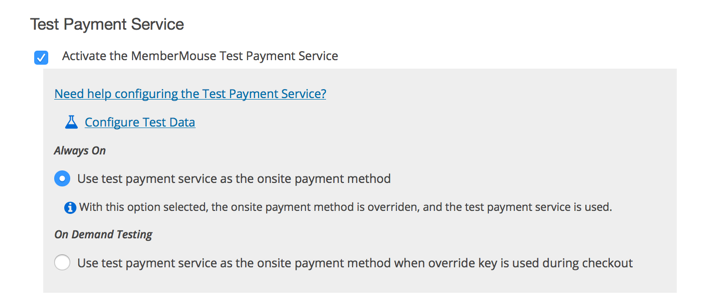
When your Test Payment Service is active and configured to be ‘Always On’ this means that the test payment service is overriding any other onsite payment methods. You can confirm if this is what’s happening by going to the Parcourir les transactions page and if all the transactions have a little test beaker icon next to them, this means it’s going through the test process.
De-activating the test payment service or changing the test payment service mode to ‘On Demand’ will allow you to test the payment provider.
REMARQUE : Le premier paiement pour les abonnements d'essai gratuits sera pas n'apparaît comme une transaction, car aucun paiement n'est effectué pendant la période d'essai.

 FR
FR  EN
EN  ES
ES  DE
DE  PT
PT 


