 Blog
Blog Podcast
 Ayuda
Ayuda Acceso de clientes

Cómo vender vídeos en línea (en 8 sencillos pasos)
Videos provide an excellent way to diversify your content and appeal to a wider variety of people. Tapping into this popular content format can help you build your audience, establish meaningful relationships, and set up recurring revenue. However, without the appropriate technical skills, you might not know how to sell videos online.
Fortunately, if you’re using WordPress, it’s relatively simple. Once you’ve selected a niche and a video hosting platform, you can build a unique video website. Then, you’re able to monetize your videos by protecting your content with membership rules.
En este artículo, analizaremos en detalle por qué vender vídeos en Internet. A continuación, te guiaremos a través de ocho pasos para empezar a vender tus vídeos hoy mismo. ¡Vamos a empezar!
Por qué vender vídeos en línea
Ver vídeos en Internet es uno de los actividades más populares for digital audiences across the globe. As such, it’s become a daily part of life for online users, arguably replacing traditional television viewing.
For example, the number of Netflix subscribers worldwide has increased to nearly 283 million in the third quarter of 2023. Meanwhile, In 2024, TikTok, estimated to reach two billion users, has reached 90% of internet users in some Asian countries as of July 2024.
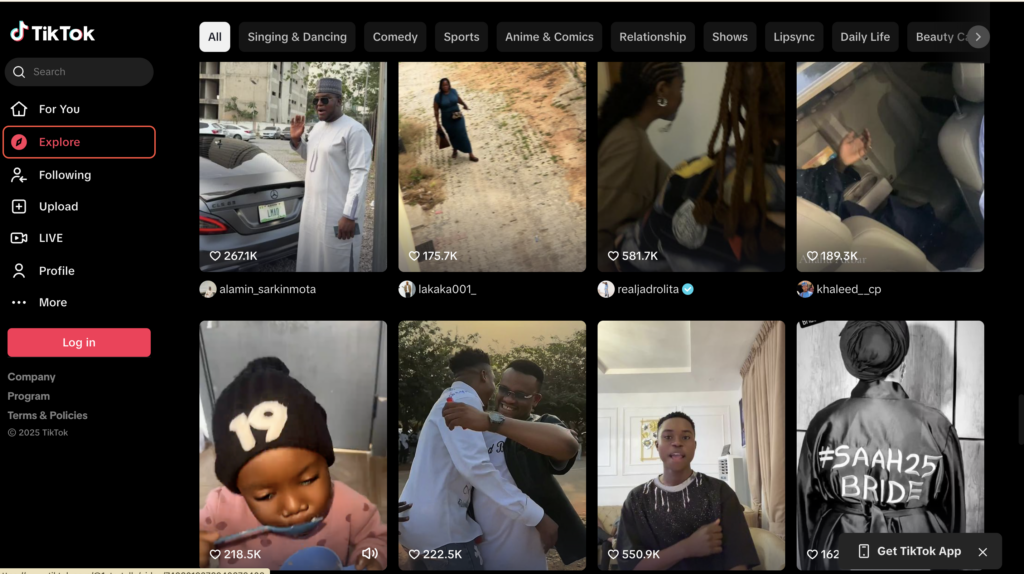
Meanwhile, YouTube has 2.5 billion users worldwide with 240 million US users and 476 million Indian users. Essentially, online videos can give you access to a huge audience.
Además, como los vídeos permiten que la gente vea tu cara y oiga tu voz, pueden dar lugar a relaciones más significativas con tu público. Esto puede establecer la lealtad del cliente, lo cual es útil si planea vender sus propios productos (o incluso productos afiliados).
There are also a number of ways to use this online format. You might prefer chatty vlog-style videos or Q&As. Alternatively, you can create product reviews or in-depth tutorials. Better yet, videos tend to increase engagement since it’s easy for visitors to like and share the content.
Por último, los vídeos en línea son una excelente forma de monetizar su sitio web y crear un flujo de ingresos recurrentes. Puede cobrar una cuota única a los visitantes en general. O puede crear afiliaciones y poner su videoteca a disposición de los miembros de pago.
Cómo vender vídeos en línea (en 8 pasos)
Now that you know why it’s a good idea to sell videos online, here are eight steps to do it.
1. Elegir un nicho específico
El primer paso para vender vídeos online es elegir un nicho específico. Si bien es posible que desee centrarse en un tema general como la salud y la forma física, se puede afinar en un tema más estrecho sobre la base de su cliente ideal (o un sub-tema dentro del nicho).
Por ejemplo, Las madres corredoras ofrece asesoramiento gratuito y de calidad a las madres que intentan mantenerse en forma al tiempo que gestionan sus responsabilidades familiares:
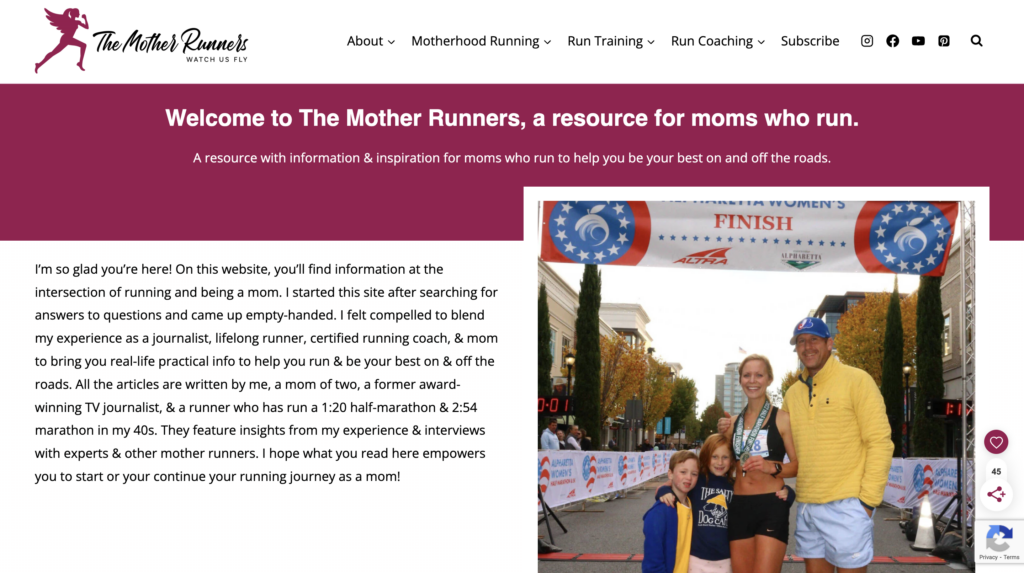
Aunque esto puede reducir el tamaño de su audiencia, puede acabar fidelizar a los seguidores, which can be highly effective if you’re looking to monetize your website.
Además, un nicho específico le permite diferenciar su contenido de otros del sector. Esto es especialmente cierto en nichos muy saturados como los viajes, la comida o la moda.
If you’re not sure how to choose a niche for your online videos, it’s best to check out existing video content via sites and apps like YouTube and TikTok. It’s also a good idea to surf the internet more generally to encontrar nichos de mercado que te inspiren.
What’s more, it’s useful to conduct some market research before you settle on a niche. To do this, you can post simple questions or entire surveys in forums, communities, or groups (like Facebook and LinkedIn). Meanwhile, un análisis DAFO puede ayudarle a identificar los puntos fuertes y débiles de su proyecto.
2. Crear una estrategia de contenidos
If you’re going to sell videos online, it’s a good idea to create a content strategy to determine the structure of your videos. Plus, this enables you to define the frequency in which you’ll post, so you’ll know how to plan and prepare for your videos way ahead of time.
Para empezar, ayuda tener un conocimiento sólido de su público. Puedes hacerte algunas preguntas básicas, como las siguientes:
- ¿Qué quieren conseguir los espectadores viendo mis vídeos?
- ¿Cuánto tiempo tienen los seguidores para interactuar con mis contenidos?
- ¿A qué grupo de edad quiero atraer?
Con esto en mente, short videos are preferred by Gen Z and Millenials when it comes to learning about products and their features. 47% of video marketers also say short videos are more likely to go viral.
Once you’ve determined your optimal video duration, it’s time to consider the structure of your content. Do you want to film product tutorials to show visitors how to use your items? Will you feature guests or co-hosts to engage in interviews or Q&As?
Lastly, it’s important to decide on a posting schedule so that your visitors know when to expect new content. It’s best to create a calendario de contenidos that you can realistically stick to. Therefore, you might begin with one video a week. Then, if you find you’re able to increase your output, you can do so.
The final consideration is whether or not you’ll include any supplementary content. For instance, if you create fitness videos, you might put together a PDF guide that users can download. Or, if you’re venta de cursos en líneapuede ayudar a dar a los afiliados acceso a otros recursos, como documentos o infografías.
3. Encontrar una plataforma de alojamiento de vídeos
Now that you’ve decided on a content strategy, you’ll need to choose a video hosting platform. If you want a free solution, YouTube es una excelente opción.
With over 2.5 billion users worldwide, YouTube gives you access to a huge community to share your videos. Plus, it’s relatively straightforward to create a YouTube account and increase your visibility using Optimización de motores de búsqueda (SEO)
There are also no limits on bandwidth and storage. Meanwhile, it’s easy to embed videos on your website using URLs. However, while you can keep a portion of the ad revenue, there is no way to disable advertisements. Therefore, ads will play automatically even on videos embedded on your site.
A diferencia de YouTube (que es una plataforma social para compartir), Vimeo ofrece una plataforma dedicada al alojamiento de vídeos para profesionales y creativos:
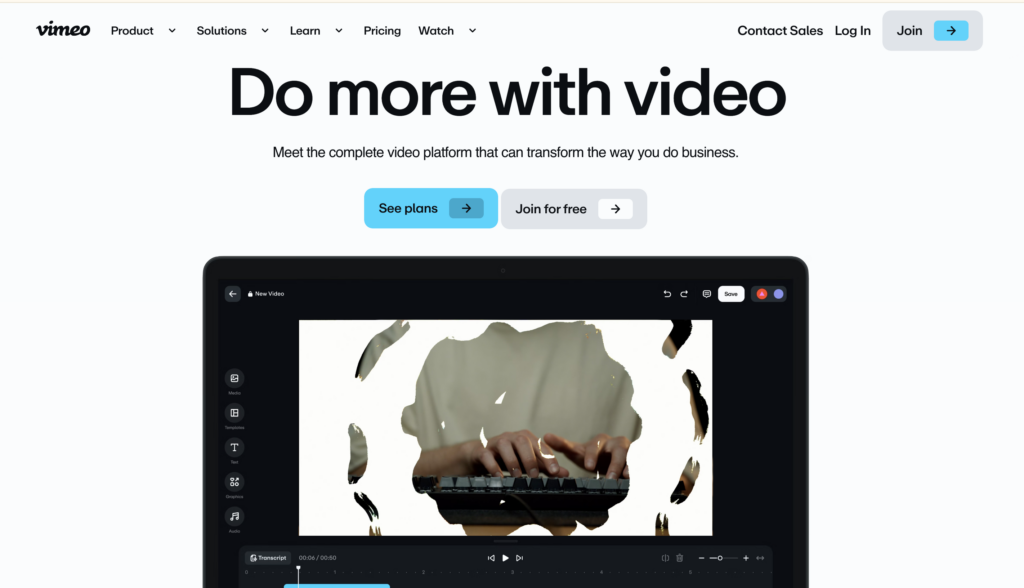
Therefore, it tends to be best for music videos, animations, nature videos and images, and original short films.
One of the best features of Vimeo is that there are no ads. Plus, you can create an account for free and enable direct video downloads. Alternatively, you’re able to embed Vimeo content discreetly on your website.
Si tienes un presupuesto mayor, Wistia might be a good fit for your online videos. While Wistia offers a free plan, you’ll be limited to ten videos, so if you plan on creating videos regularly, you’ll need to upgrade to a premium package.
Al igual que las otras opciones, puedes utilizar la plataforma para subir e incrustar vídeos en tu sitio web. Sin embargo, Wistia también ofrece funciones avanzadas para ayudarte a comercializar tus vídeos.
Por ejemplo, puede incrustar formularios de captación de clientes potenciales e incluso presentar llamadas a la acción (CTA) in the video player. And like Vimeo, you won’t have to place ads in your content.
4. Consider How You’ll Monetize Your Videos
With your video platform in place, it’s time to decide how you’ll make money from your online videos. It’s important to consider what type of video hosting you’ve selected and whether it lends itself to your preferred monetization method.
Normalmente, hay tres formas principales de obtener ingresos con los contenidos digitales. Éstas son las opciones:
- Suscripción a vídeo a la carta (SVOD). Populares servicios de streaming como Netflix y Amazon Prime utilizan el modelo SVOD. Ofrece a los abonados acceso a una biblioteca de vídeos a cambio de una cuota mensual (o anual).
- Vídeo a la carta transaccional (TVOD). This monetization strategy enables customers to make one-time purchases to access a specific video. In that way, it’s similar to buying a movie on iTunes.
- Publicidad de vídeo a la carta (AVOD). If you don’t want to charge your viewers, you can use the AVOD model. Instead, you’ll generate revenue from advertisements like YouTube.
Naturally, you may find yourself restricted by your video hosting platform. As we discussed, YouTube requires you to play ads and there’s no option to disable it.
Meanwhile, YouTube and Vimeo have options to create subscriptions. But, if you opt for Wistia, you’ll need a third-party tool to control access and payments.
5. Producir vídeos de alta calidad
If you’re going to expect people to pay to watch your content, it’s important to produce high-quality videos. If you have the technical skills, you can create video material yourself.
Incluso puedes empezar usando la cámara de tu smartphone. Con el tiempo, podrías pasar a una cámara de resolución 4K, ya que esta puede capturar imágenes más nítidas gracias a los píxeles adicionales.
Additionally, if you’re including sound in your videos, you might consider using an external microphone. In particular, a condenser mic is a great option if you’re recording indoors since it will result in crisper audio.
If you feel comfortable shooting videos, but you don’t have the expertise or time to edit, you might outsource this task to freelancers. You can find tons of freelancers on sites like Upwork y Fiverr:
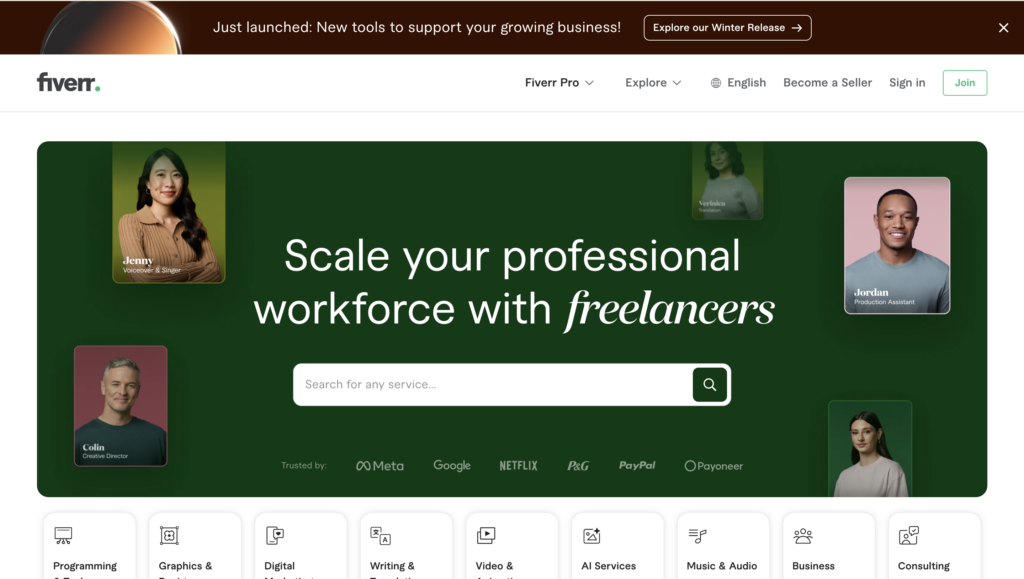
Incluso puedes encontrar freelancers que se adapten a tu tipo exacto de vídeo, como vídeos de YouTube, vídeos de Instagram o vídeos de juegos. Dado que los servicios difieren bastante drásticamente, puedes encontrar opciones por debajo de $20, mientras que los productores más experimentados cobran cientos de dólares.
However, if you don’t have the skills or time to even shoot your videos, you might decide to hire a production team. While this can be expensive, you’ll gain invaluable experience. Plus, the team will handle everything for you from lighting and audio to editing and after-effects.
6. Cree un sitio web para sus vídeos
The next step to selling videos online is to create a beautiful website where visitors can view your video collection. A video website also acts as the ideal platform for monetizing your videos with memberships.
To get started, you’ll need a content management system (CMS) to upload and organize your videos. WordPress is an excellent option since it’s free and open-source.
Plus, when you choose this method, you’ll own all your content, which can’t be said for some alternatives. To make your website publicly accessible, you’ll need to choose a domain name and a proveedor de alojamiento web para almacenar sus archivos y su base de datos.
WordPress es una plataforma totalmente personalizable, por lo que puedes conseguir un sitio web totalmente único que refleje tu marca. Para cambiar el aspecto de tu sitio, puedes instalar un tema de WordPress directamente desde tu salpicadero:
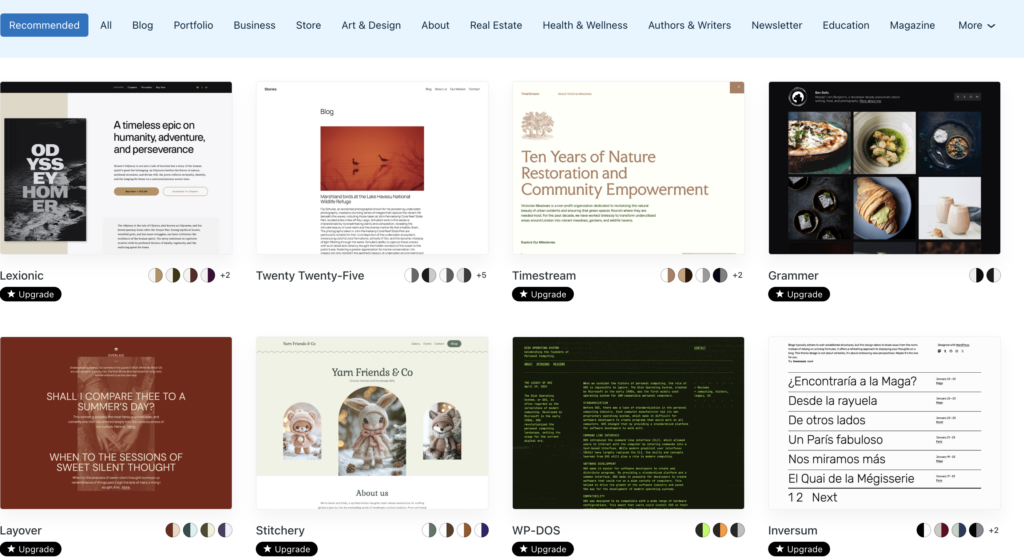
Mientras tanto, los plugins le permiten ampliar la funcionalidad de su sitio. Por ejemplo, si quieres crear formularios de suscripción y contacto, puedes usar un plugin como WPForms.
Ahora, puedes subir vídeos a la Mediateca o incrustar vídeos en determinadas páginas. Esto facilita protege tus vídeos behind membership rules (which we’ll discuss in the next section).
To embed a video in WordPress, open the page or post where you want to feature it. If you’re using the Block Editor, you can find dedicated YouTube and Vimeo blocks.
También puede añadir un bloque de vídeo a su página. A continuación, puede cargar un vídeo desde su ordenador o desde la Biblioteca multimedia. O haz clic en Insertar desde URL:
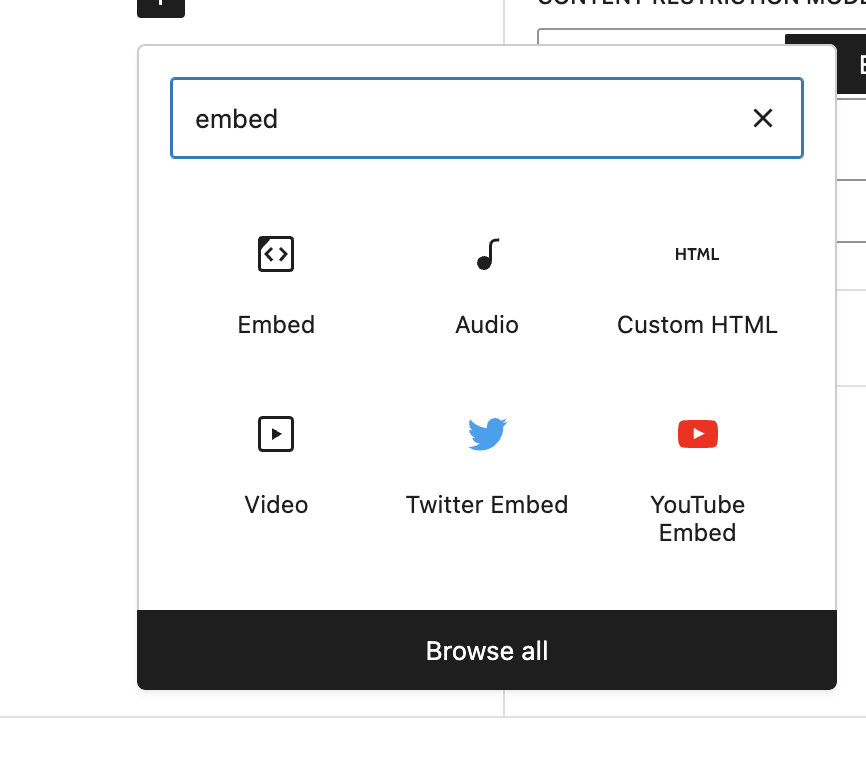
Your video should be displayed immediately in the editor.
Save the page. Repeat the process if you want to create more video pages.
7. Proteja sus vídeos con normas de afiliación
Now, if you want to monetize your videos using subscriptions, you’ll need to protect your videos with membership rules. Therefore, you’ll need to install a membership plugin like MemberMouse:
MemberMouse enables you to protect any pages and posts on your website, so you can easily protect pages with videos or any other kind of content you can imagine. Better yet, you can configure free and paid membership options which you’ll manage through a stylish dashboard. And, you can even facilitate one-time purchases for non-members.
You’ll need to comprar un plan from the MemberMouse website. Then, in your WordPress dashboard, go to Plugins > Add New > Upload. Here, upload your zip file. Then, click on Install Now > Activate Plugin:

If you want to create paid memberships, you’ll first need to add your membership as a product. So, go to MemberMouse > Product Settings > Create Product:
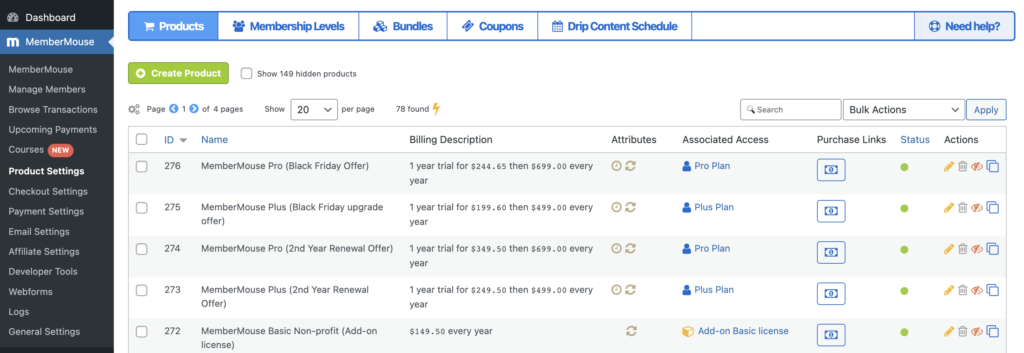
Aquí puede fijar los precios de afiliaciónperiodos de suscripción y pruebas gratuitas.
A continuación, vaya a Niveles de afiliación y haga clic en Crear nivel de afiliación. Ahora, puede dar un nombre a su afiliación y personalizar el correo electrónico de bienvenida.
A continuación, en Tipo de afiliación, seleccione De pago y busque el producto que ha añadido anteriormente:
Now, open the page or post that contains your video. In the Post settings, you’ll see MemberMouse Options. Here, click on Grant Access. Then, select your membership level.
Or, if you want to protect existing video pages, check the boxes next to relevant pages on the All Pages screen. Then, use the Bulk actions dropdown to select Manage Access and click on Apply.
Aquí, utilice el menú desplegable para elegir el nivel de afiliación adecuado y haga clic en Añadir derechos de acceso.
8. Promocione su sitio web de vídeo
Once you have your video website all set up with membership plans, it’s time to promocione su sitio web para atraer a más visitantes. Una de las formas más sencillas de hacerlo es ofrecer algunos de sus contenidos de forma gratuita.
While you can do this through free memberships, you can also create a YouTube channel. For instance, if you’re selling an online course, you might make the first lesson publicly available:
Then, you can add links to your website in the description box for viewers who want to continue the course (which will require one of your premium memberships).
Las redes sociales ofrecen otra gran plataforma para haga crecer su sitio de socios. Puedes crear entradas que anuncien el vídeo. También puedes pedir a los miembros que compartan sus testimonios con enlaces a tu sitio web.
También puede crear formularios de suscripción sencillos para su sitio web. A continuación, puede utilizar la función el poder del email marketing to engage with your members. SEO is also a great way to drive organic traffic to your pages. This can boost your search rankings to make you more visible on the results pages.
Conclusión
Si quieres acceder a una audiencia global y generar ingresos pasivos, es una gran idea vender vídeos online. Mejor aún, te permite entablar relaciones más profundas con tus seguidores y diversificar tus contenidos.
A modo de resumen, he aquí ocho pasos para vender vídeos en Internet:
- Elija un nicho específico.
- Cree una estrategia de contenidos.
- Encuentra una plataforma de alojamiento de vídeos.
- Consider how you’ll monetize your videos.
- Produzca vídeos de alta calidad.
- Crea un sitio web para tus vídeos.
- Protege tus vídeos con normas de afiliación.
- Promociona tu sitio web de vídeos.
¿Tienes alguna pregunta sobre cómo vender vídeos online? Háznoslo saber en la sección de comentarios más abajo.
Si te ha gustado este artículo, no dejes de seguirnos en Facebook, Twitter, Pinteresty LinkedIn! And don’t forget to subscribe in the box below.

Sarah Olaleye
Sarah Olaleye writes about what it takes to build and grow a membership business beyond the initial launch. With experience in SEO, content marketing, WordPress, and managing online businesses, she understands the work behind attracting members, keeping them engaged, and creating reliable revenue. At MemberMouse, she helps business owners make smarter decisions about memberships, automation, and long-term growth.




 ES
ES  EN
EN  DE
DE  FR
FR  PT
PT 


