 Blog
Blog Podcast
 Suporte
 Login do cliente

Como vender vídeos on-line (em 8 etapas simples)
Videos provide an excellent way to diversify your content and appeal to a wider variety of people. Tapping into this popular content format can help you build your audience, establish meaningful relationships, and set up recurring revenue. However, without the appropriate technical skills, you might not know how to sell videos online.
Fortunately, if you’re using WordPress, it’s relatively simple. Once you’ve selected a niche and a video hosting platform, you can build a unique video website. Then, you’re able to monetize your videos by protecting your content with membership rules.
Nesta postagem, veremos mais detalhadamente por que vender vídeos on-line. Em seguida, orientaremos você em oito etapas para começar a vender seus vídeos hoje mesmo. Vamos começar!
Por que vender vídeos on-line
Assistir a vídeos pela Internet é uma das atividades mais populares for digital audiences across the globe. As such, it’s become a daily part of life for online users, arguably replacing traditional television viewing.
For example, the number of Netflix subscribers worldwide has increased to nearly 283 million in the third quarter of 2023. Meanwhile, In 2024, TikTok, estimated to reach two billion users, has reached 90% of internet users in some Asian countries as of July 2024.
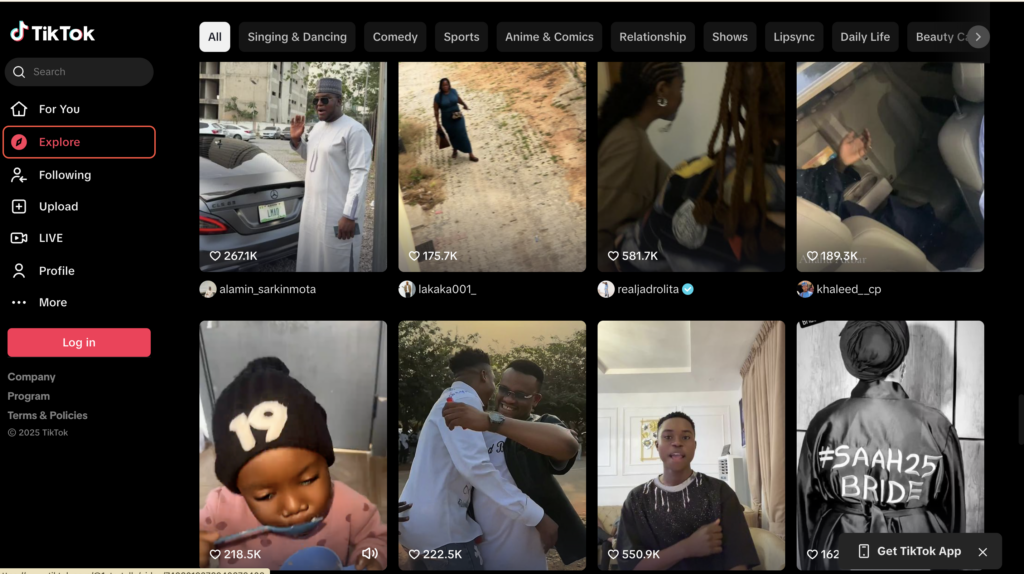
Meanwhile, YouTube has 2.5 billion users worldwide with 240 million US users and 476 million Indian users. Essentially, online videos can give you access to a huge audience.
Além disso, como os vídeos permitem que as pessoas vejam seu rosto e ouçam sua voz, eles podem levar a relacionamentos mais significativos com seu público. Isso pode estabelecer a fidelidade do cliente, o que é útil se você planeja vender seus próprios produtos (ou até mesmo produtos de afiliados).
There are also a number of ways to use this online format. You might prefer chatty vlog-style videos or Q&As. Alternatively, you can create product reviews or in-depth tutorials. Better yet, videos tend to increase engagement since it’s easy for visitors to like and share the content.
Por fim, os vídeos on-line são uma ótima maneira de monetizar seu site e configurar um fluxo de receita recorrente. Você pode cobrar taxas únicas para visitantes em geral. Ou pode criar associações e tornar sua videoteca acessível aos membros pagantes.
Como vender vídeos on-line (em 8 etapas)
Now that you know why it’s a good idea to sell videos online, here are eight steps to do it.
1. Escolha um nicho específico
A primeira etapa para vender vídeos on-line é escolher um nicho específico. Embora você possa querer se concentrar em um tópico geral, como saúde e condicionamento físico, você pode se aprofundar em um assunto mais restrito com base no seu cliente ideal (ou em um subtópico dentro do nicho).
Por exemplo, As mães corredoras oferece treinamento gratuito e premium para mães que tentam manter a forma enquanto administram as responsabilidades familiares:
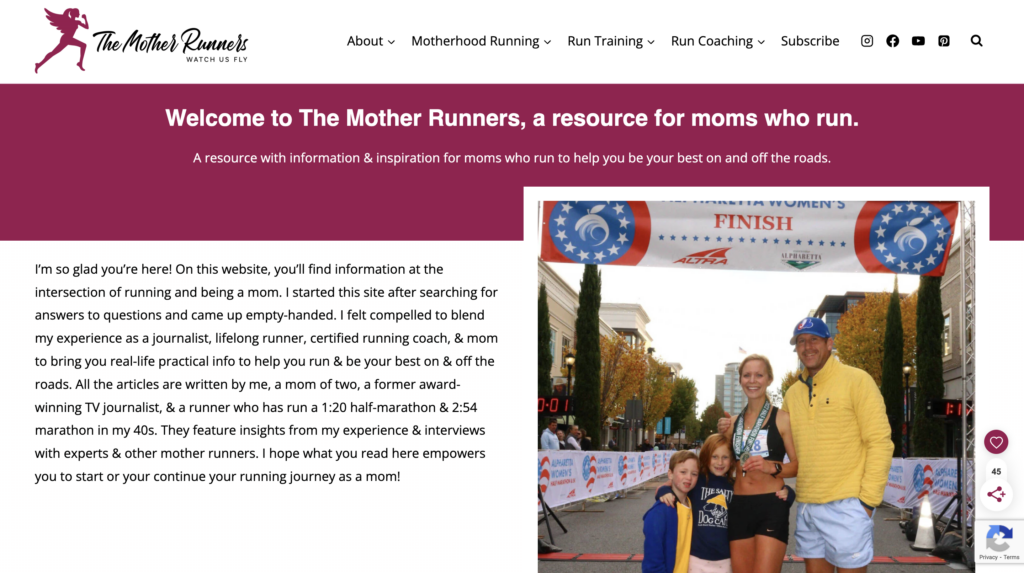
Embora isso possa reduzir o tamanho do seu público, você pode acabar Construir um público mais fiel, which can be highly effective if you’re looking to monetize your website.
Além disso, um nicho específico permite que você diferencie seu conteúdo de outros no setor. Isso é especialmente verdadeiro para nichos muito saturados, como viagens, alimentação ou moda.
If you’re not sure how to choose a niche for your online videos, it’s best to check out existing video content via sites and apps like YouTube and TikTok. It’s also a good idea to surf the internet more generally to encontrar ideias de nichos que o inspirem.
What’s more, it’s useful to conduct some market research before you settle on a niche. To do this, you can post simple questions or entire surveys in forums, communities, or groups (like Facebook and LinkedIn). Meanwhile, uma análise SWOT pode ajudá-lo a identificar os pontos fortes e fracos do seu projeto.
2. Criar uma estratégia de conteúdo
If you’re going to sell videos online, it’s a good idea to create a content strategy to determine the structure of your videos. Plus, this enables you to define the frequency in which you’ll post, so you’ll know how to plan and prepare for your videos way ahead of time.
Para começar, é útil ter uma sólida compreensão de seu público-alvo. Você pode fazer a si mesmo algumas perguntas básicas, como as seguintes:
- O que os espectadores gostariam de alcançar assistindo aos meus vídeos?
- Quanto tempo os seguidores têm para interagir com meu conteúdo?
- Qual é a faixa etária que quero atingir?
Com isso em mente, short videos are preferred by Gen Z and Millenials when it comes to learning about products and their features. 47% of video marketers also say short videos are more likely to go viral.
Once you’ve determined your optimal video duration, it’s time to consider the structure of your content. Do you want to film product tutorials to show visitors how to use your items? Will you feature guests or co-hosts to engage in interviews or Q&As?
Lastly, it’s important to decide on a posting schedule so that your visitors know when to expect new content. It’s best to create a calendário de conteúdo that you can realistically stick to. Therefore, you might begin with one video a week. Then, if you find you’re able to increase your output, you can do so.
The final consideration is whether or not you’ll include any supplementary content. For instance, if you create fitness videos, you might put together a PDF guide that users can download. Or, if you’re venda de cursos on-lineAlém disso, ele pode ajudar a dar aos membros acesso a outros recursos, como documentos ou infográficos.
3. Encontre uma plataforma de hospedagem de vídeo
Now that you’ve decided on a content strategy, you’ll need to choose a video hosting platform. If you want a free solution, YouTube é uma excelente opção.
With over 2.5 billion users worldwide, YouTube gives you access to a huge community to share your videos. Plus, it’s relatively straightforward to create a YouTube account and increase your visibility using Otimização de mecanismos de busca (SEO)
There are also no limits on bandwidth and storage. Meanwhile, it’s easy to embed videos on your website using URLs. However, while you can keep a portion of the ad revenue, there is no way to disable advertisements. Therefore, ads will play automatically even on videos embedded on your site.
Ao contrário do YouTube (que é uma plataforma de compartilhamento social), Vimeo oferece uma plataforma de hospedagem de vídeo dedicada para profissionais e criativos:
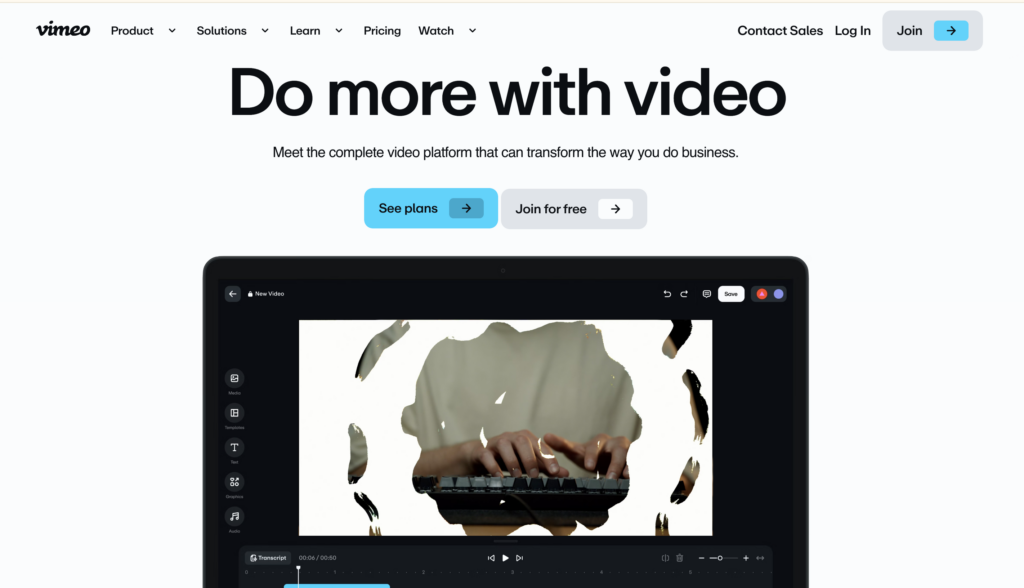
Therefore, it tends to be best for music videos, animations, nature videos and images, and original short films.
One of the best features of Vimeo is that there are no ads. Plus, you can create an account for free and enable direct video downloads. Alternatively, you’re able to embed Vimeo content discreetly on your website.
Se você tiver um orçamento maior, Wistia might be a good fit for your online videos. While Wistia offers a free plan, you’ll be limited to ten videos, so if you plan on creating videos regularly, you’ll need to upgrade to a premium package.
Como as outras opções, você pode usar a plataforma para carregar e incorporar vídeos em seu site. No entanto, a Wistia também oferece recursos avançados para ajudar a comercializar seus vídeos.
Por exemplo, você pode incorporar formulários de captura de leads e até mesmo recursos chamadas para ação (CTAs) in the video player. And like Vimeo, you won’t have to place ads in your content.
4. Consider How You’ll Monetize Your Videos
With your video platform in place, it’s time to decide how you’ll make money from your online videos. It’s important to consider what type of video hosting you’ve selected and whether it lends itself to your preferred monetization method.
Normalmente, há três maneiras principais de obter receita com conteúdo digital. Aqui estão as opções:
- Assinatura de vídeo sob demanda (SVOD). Serviços populares de streaming, como Netflix e Amazon Prime, usam o modelo SVOD. Ele dá aos assinantes acesso a uma biblioteca de vídeos em troca de uma taxa de associação mensal (ou anual).
- Vídeo sob demanda transacional (TVOD). This monetization strategy enables customers to make one-time purchases to access a specific video. In that way, it’s similar to buying a movie on iTunes.
- Publicidade em vídeo sob demanda (AVOD). If you don’t want to charge your viewers, you can use the AVOD model. Instead, you’ll generate revenue from advertisements like YouTube.
Naturally, you may find yourself restricted by your video hosting platform. As we discussed, YouTube requires you to play ads and there’s no option to disable it.
Meanwhile, YouTube and Vimeo have options to create subscriptions. But, if you opt for Wistia, you’ll need a third-party tool to control access and payments.
5. Produzir vídeos de alta qualidade
If you’re going to expect people to pay to watch your content, it’s important to produce high-quality videos. If you have the technical skills, you can create video material yourself.
Você pode até começar usando a câmera do seu smartphone. Eventualmente, você pode passar para uma câmera com resolução 4K, pois ela pode capturar imagens mais nítidas graças aos pixels extras.
Additionally, if you’re including sound in your videos, you might consider using an external microphone. In particular, a condenser mic is a great option if you’re recording indoors since it will result in crisper audio.
If you feel comfortable shooting videos, but you don’t have the expertise or time to edit, you might outsource this task to freelancers. You can find tons of freelancers on sites like Upwork e Fiverr:
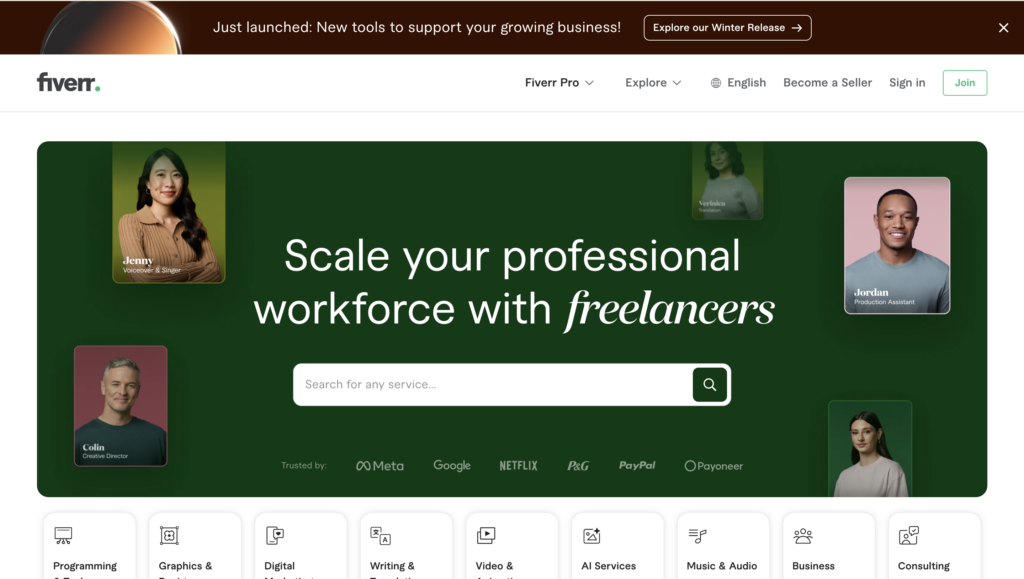
Você pode até encontrar freelancers que atendam exatamente ao seu tipo de vídeo, inclusive vídeos do YouTube, vídeos do Instagram ou vídeos de jogos. Como os serviços diferem drasticamente, você pode encontrar opções abaixo de $20, enquanto os produtores mais experientes cobram centenas de dólares.
However, if you don’t have the skills or time to even shoot your videos, you might decide to hire a production team. While this can be expensive, you’ll gain invaluable experience. Plus, the team will handle everything for you from lighting and audio to editing and after-effects.
6. Crie um site para seus vídeos
The next step to selling videos online is to create a beautiful website where visitors can view your video collection. A video website also acts as the ideal platform for monetizing your videos with memberships.
To get started, you’ll need a content management system (CMS) to upload and organize your videos. WordPress is an excellent option since it’s free and open-source.
Plus, when you choose this method, you’ll own all your content, which can’t be said for some alternatives. To make your website publicly accessible, you’ll need to choose a domain name and a provedor de hospedagem na web para armazenar seus arquivos e banco de dados.
O WordPress é uma plataforma totalmente personalizável para que você possa criar um site totalmente exclusivo que reflita sua marca. Para alterar a aparência do seu site, você pode instalar um tema do WordPress diretamente de seu painel de controle:
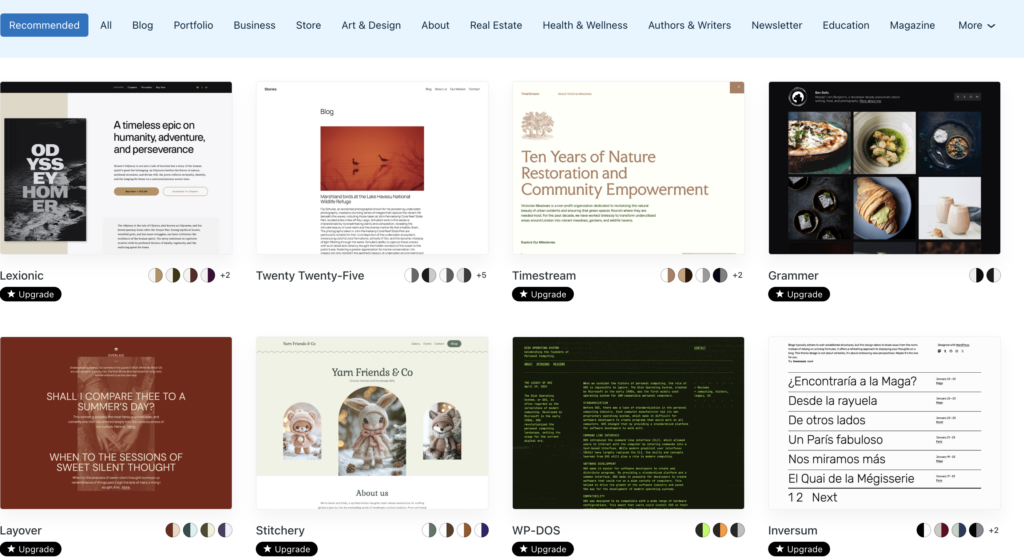
Enquanto isso, os plugins permitem que você expanda a funcionalidade do seu site. Por exemplo, se quiser criar formulários de assinantes e formulários de contato, você pode usar um plug-in como WPForms.
Agora, você pode fazer upload de vídeos para a Biblioteca de mídia ou incorporar vídeos em determinadas páginas. Isso facilita a Proteja seus vídeos behind membership rules (which we’ll discuss in the next section).
To embed a video in WordPress, open the page or post where you want to feature it. If you’re using the Block Editor, you can find dedicated YouTube and Vimeo blocks.
Ou simplesmente adicione um bloco de vídeo à sua página. Em seguida, você pode carregar um vídeo do seu computador ou da Biblioteca de mídia. Ou clique em Insert from URL (Inserir do URL):
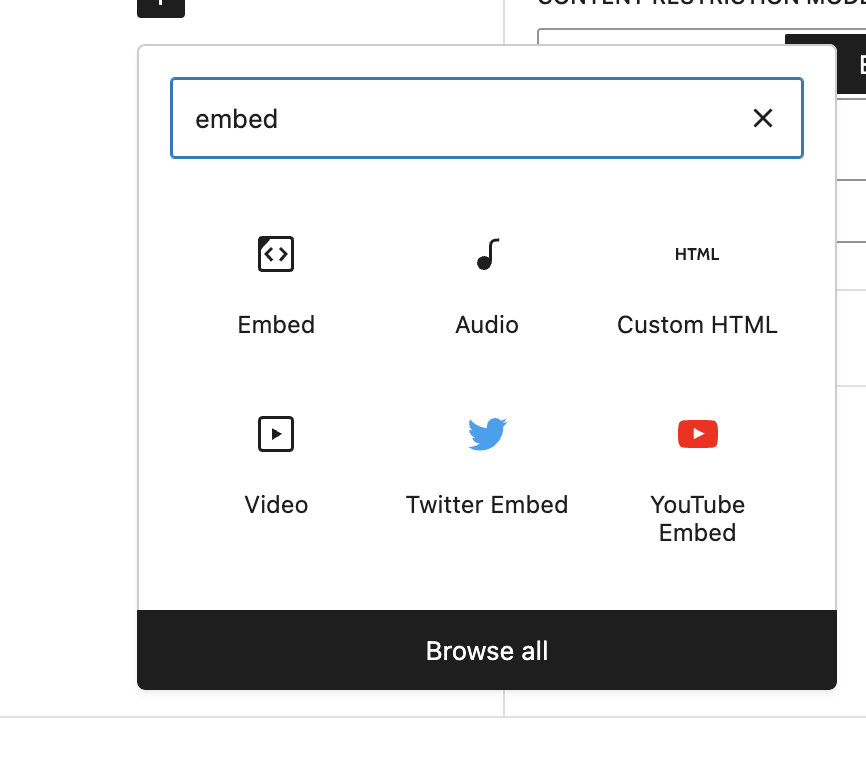
Your video should be displayed immediately in the editor.
Save the page. Repeat the process if you want to create more video pages.
7. Proteja seus vídeos com regras de associação
Now, if you want to monetize your videos using subscriptions, you’ll need to protect your videos with membership rules. Therefore, you’ll need to install a membership plugin like MembroMouse:
MemberMouse enables you to protect any pages and posts on your website, so you can easily protect pages with videos or any other kind of content you can imagine. Better yet, you can configure free and paid membership options which you’ll manage through a stylish dashboard. And, you can even facilitate one-time purchases for non-members.
You’ll need to comprar um plano from the MemberMouse website. Then, in your WordPress dashboard, go to Plugins > Add New > Upload. Here, upload your zip file. Then, click on Install Now > Activate Plugin:

If you want to create paid memberships, you’ll first need to add your membership as a product. So, go to MemberMouse > Product Settings > Create Product:
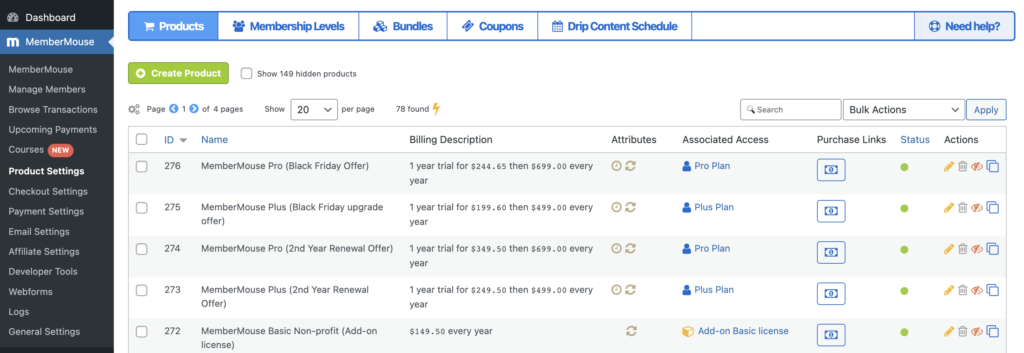
Aqui, você pode definir preços de associaçãoperíodos de assinatura e avaliações gratuitas.
Em seguida, mude para Membership Levels (Níveis de associação) e clique em Create Membership Level (Criar nível de associação). Agora, você pode dar um nome à sua associação e personalizar o e-mail de boas-vindas.
Em seguida, em Membership Type (Tipo de associação), selecione Paid (Pago) e localize o produto que você adicionou anteriormente:
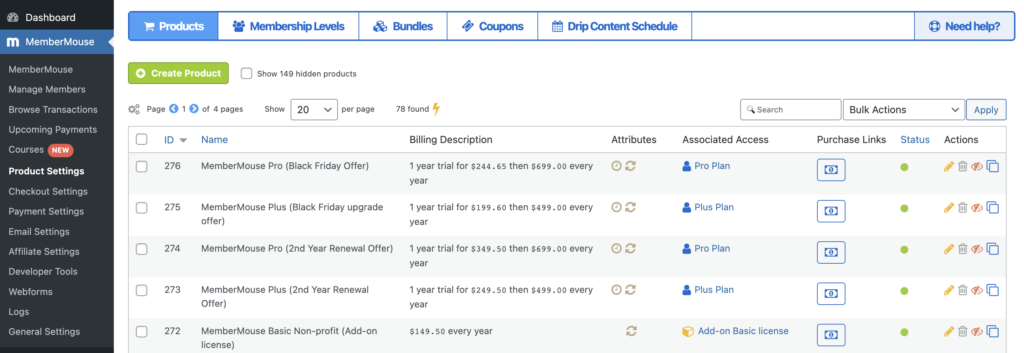
Now, open the page or post that contains your video. In the Post settings, you’ll see MemberMouse Options. Here, click on Grant Access. Then, select your membership level.
Or, if you want to protect existing video pages, check the boxes next to relevant pages on the All Pages screen. Then, use the Bulk actions dropdown to select Manage Access and click on Apply.
Aqui, use o menu suspenso para escolher o nível de associação apropriado e clique em Add Access Rights (Adicionar direitos de acesso).
8. Promova seu site de vídeos
Once you have your video website all set up with membership plans, it’s time to promover seu site para atrair mais visitantes. Uma das maneiras mais fáceis de fazer isso é oferecer parte de seu conteúdo gratuitamente.
While you can do this through free memberships, you can also create a YouTube channel. For instance, if you’re selling an online course, you might make the first lesson publicly available:
Then, you can add links to your website in the description box for viewers who want to continue the course (which will require one of your premium memberships).
A mídia social oferece outra ótima plataforma para Aumente seu site de associação. Você pode criar postagens que divulguem o vídeo. Ou pode pedir aos membros existentes que compartilhem depoimentos com links para o seu site.
Como alternativa, você pode criar formulários de assinatura simples para seu site. Em seguida, você pode usar o poder do marketing por e-mail to engage with your members. SEO is also a great way to drive organic traffic to your pages. This can boost your search rankings to make you more visible on the results pages.
Conclusão
Se você deseja ter acesso a um público global e gerar uma renda passiva, é uma ótima ideia vender vídeos on-line. Melhor ainda, isso permite que você crie relacionamentos mais profundos com seus seguidores e diversifique seu conteúdo.
Para recapitular, aqui estão oito etapas para vender vídeos on-line:
- Escolha um nicho específico.
- Crie uma estratégia de conteúdo.
- Encontre uma plataforma de hospedagem de vídeo.
- Consider how you’ll monetize your videos.
- Produza vídeos de alta qualidade.
- Crie um site para seus vídeos.
- Proteja seus vídeos com regras de associação.
- Promova seu site de vídeos.
Você tem alguma dúvida sobre como vender vídeos on-line? Diga-nos na seção de comentários abaixo!
Se você gostou deste artigo, não deixe de nos seguir em Facebook, Twitter, Pintereste LinkedIn! And don’t forget to subscribe in the box below.

Sarah Olaleye
Sarah Olaleye writes about what it takes to build and grow a membership business beyond the initial launch. With experience in SEO, content marketing, WordPress, and managing online businesses, she understands the work behind attracting members, keeping them engaged, and creating reliable revenue. At MemberMouse, she helps business owners make smarter decisions about memberships, automation, and long-term growth.




 PT
PT  EN
EN  ES
ES  DE
DE  FR
FR 


